
Your Browsing History
 We‘re shipping as usual! The Canada Post strike only affects certain remote deliveries and PO Boxes. Details
 Holiday Shipping Details & Extended Holiday Returns
BEST SELLERS


BEST SELLERS
In Docking Station
Our most popular products, based on sales and updated frequently.Shop Department
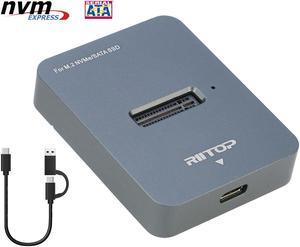
M.2 NVMe to USB C Docking Station, RIITOP External M.2 SSD to USB-C Reader Adapter for Both PCIe NVMe SSD M Key and B+M Key SATA-Based SSD
- Thunderbolt 3: Yes
- Model #: M2BM2DT
- Item #: 9SIAFMXHPJ6583
- Return Policy: View Return Policy
$35.99
Sale Ends in 8 Hours
Free Shipping
I needed to clone an Intel 660P M.2 1TB to a Samsung 980 Pro M.2 2TB. Win10 Pro detected the drive, Easeus allowed me to clone the drive. 17 minutes later, the drive was cloned and I swapped it out. Its easy, it worked, dare I say plug and play?
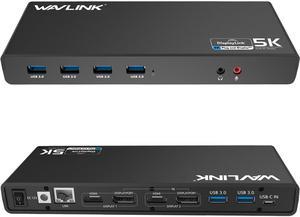
Wavlink Dual 4K Display Laptop Docking Station Single 5K/Dual 4K @60Hz USB 3.0 and USB-C Dual Monitor Docking Station With 2 x HDMI, 2 DP, Gigabit Ethernet, 6 x USB 3.0, Audio, Mic, For Windows/Mac
- Part Number: - 6 x SuperSpeed USB 3.0 ports - 2 x 4K DisplayPorts - 1 x Audio out - 1 x USB-C in - 2 x 4K HDMI - 1 x Mic in - 1 x Gigabit Ethernet - 1 x 5k (DisplayPort + DisplayPort)
- Compatibility: This laptop docking stations compatibility with Apple M1/M2 and Intel Macs (with macOS 10.14 or later) .Support Windows 11, 10, 8.x, and 7 with driver installation.Surface RT, Linux/Unix are not supported. (see Display Link website for more details).Docking station is suggested for use with web and productivity software; not recommended...
- Model #: WS-UG69DK1
- Item #: 9SIACU95VJ0411
- Return Policy: View Return Policy
$149.99
Free Shipping
- Drive hdmi 4k output with Windows 10 - runs cool - plenty of additional USB ports
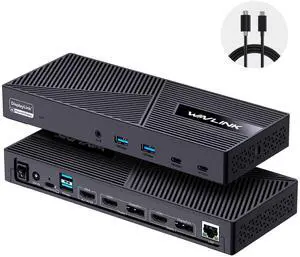
Wavlink USB C Triple Monitor Docking station With 100W Laptop Charging, 3X HDMI, 2X DisplayPort, 6X 10Gbps USB Ports, Gigabit Ethernet, Audio&Mic for MacBook M1/M2/M3/M4, USB4, Windows& More
- Part Number: with only one USB-C port: DC IN(130W input), USB-C(Host, 100W output), HDMI Alt Mode(4K@60Hz), Display 1/2(HDMI1/2 or DP1/2), 4xUSB-A 3.1(10Gbps), 2xUSB-C 3.1(10Gbps), RJ45 Ethernet, Audio/Mic. Note: This dock must connect the power adapter, otherwise it will not work.
- Compatibility: Universal Compatibility: Universal docking station support Windows 11/10, Mac OS 11.x or later, ChromeOS 100.x or later, Ubuntu 20.04, 22.04 systems with full-featured type c port or thunderbolt 3/4 port or USB4 port. Ideal home & office partner for USB-c devices like Intel/M1/M2/M3-based Mac, Dell, Asus, Lenovo, Surface, Samsung, Huawei and...
- Model #: WL-UG63PD25-A
- Item #: 9SIACU9KD60168
- Return Policy: View Return Policy
$199.99
$215.99
Free Shipping
Compatible with my laptop; no driver is needed to install it. Lightweight and fast file transmitting speed.
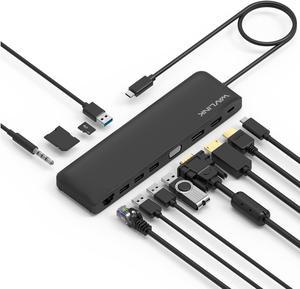
Wavlink USB C Triple Display 4K 12 in 1 MST USB C Docking Station, Type C Systems (DP & HDMI &VGA, USB 3.0&2.0 Ports, SD TF Card Reader, Gigabit Ethernet, Audio For for MacBook Pro & Windows
- Compatibility: This slim compact dock is compatible with USB-C Computers that have USB3.1 full function with data transfer, USB-C Power Delivery & Video Alternate Mode. Support Windows 7 / 8 / 10; Max OSX 10; Linux or the latest version. We provide 12 months warranty for this product.
- Ports Spec: One USB-C port supports PD 3.0 upstream power charging to PC computer with up to 100W Both DisplayPort v1.2a and HDMI v1.4b support 4K/30Hz single display One VGA port supports up to 2K (2048x1152) @60Hz single display Dual displays up to 2048x1152 @60Hz; Triple displays up to 1920x1080 @60Hz Two USB 3.0 ports and two USB 2.0 ports provide data transfer rates up to 5Gbps & 480Mbps separately One RJ45 Gigabit Ethernet port enables stable wired connection One built-in SD/TF card reader supports SD v2.0, SDHC up to 32GB, and SDXC up to 2TB One audio combo jack for stereo a...
- Model #: WS-UMD04-A
- Item #: 9SIACU9FE90633
- Return Policy: View Return Policy
$65.99
Free Shipping
This docking station has very elegant design. It comes with enough USB 2.0 and USB 2.0 ports, along with standard HDMI and DVI port for monitors, and 1 Gigabit Ethernet port for hard wired network for laptops that has only Wi-Fi adapters. Tested on Windows 10 laptop, with two monitors and hard wired network. All works perfectly without any issue. Windows 10 detects this dock as plug and play device, no separate driver need to be installed. Key features I liked in this dock, sleek design with enough possibilities of port expansions. Also this dock comes with various adapters like USB C to USB 3.0, DVI to HDMI, DVI to VGA type of converters that makes all monitors compatible with the dock attachments.
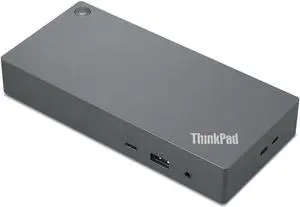
Lenovo ThinkPad Universal USB-C Dock (with 135W Power Adapter)
- Part Number: 40AY0135US
- Weight: 1.00 lbs
- Function: Internet Tablet
- Model #: 40AY0135US
- Item #: 9SIADGEKBZ3265
- Return Policy: View Return Policy
$258.55
$10.99 Shipping
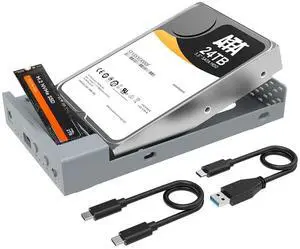
MAIWO USB C Docking Station for M.2 PCIe NVMe + 2.5 3.5 Inch SATA SSD/HDD with Offline Clone, Clone HDD to NVMe SSD, USB 3.2 GEN 2 10Gbps External Hard Drive Enclosure, Silver
- Brand: MAIWO
- Color: Silver
- External Interface: USB 3.1 Type-C
- AC Adapter: Yes
- Model #: K3525N
- Item #: 9SIB2HGKJT5203
- Return Policy: View Return Policy
$89.99
$119.98
Free Shipping
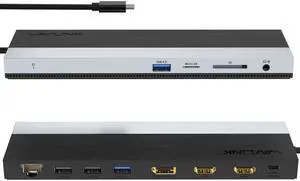
Wavlink USB-C Docking Station Triple Display Max 4K@60Hz with DisplayPort, 2xHDMI, PD, 85W Charging for PC, 2xUSB 3.0, 2x2.0, Gigabit Ethernet, SD/TF Slot, Audio Jack For Windows&Mac etc
- Part Number: 1x USB-C to Host with integrated cable 50cm length 2 x HDMI 2.0 1 x DisplayPort 1.4 1x USB-C supports PD 100W IN 2x USB-A 5Gbps 2x USB-A 480Mbps 1x Gigabit Ethernet 1x SD/Micro SD 3.0 1x Combo Audio 1x LED light Indicator
- Compatibility: Suitable for your thunderbolt 3/4 laptops or devices with full-featured type-c port(support charging and video output). Works with MacBook Pro/Air 2021/2020/2019/2018/2017/2016, iMac/ iMac Pro, Google Chromebook Pixel, Huawei MateBook Pro, Dell, Surface Book 2, HP, Lenovo, etc.
- Ports Spec: PD3.0 supports up to 85W Pass Through Charging, 2 x USB3.0 A port speed up to 5Gbps, 2 x USB2.0 A port speed up to 480Mbps, 2 x HDMI (2.0), 1 x DisplayPort (1.4), Integrated TRRS 4-pole phone jack, SD/Micro SD V3.0 Card Reader slot, 1x RJ45 10/100/1000Mbps Ethernet, 1x LED Power Indicator
- Parts: 1 Year...
- Model #: WL-UMD08
- Item #: 9SIACU9KD60169
- Return Policy: View Return Policy
$89.99
Free Shipping
Plugged it in and it worked instantly Absolutely no lag on the screen Over 1Gbit of bandwidth Charges laptop fast Hass on/off switch

D Lenovo ThinkPad Hybrid USB-C with USB-A Dock
- Weight: 3.0400
- Model #: 40AF0135EU
- Item #: 9SIADGEJW42628
- Return Policy: View Return Policy
$414.11
$18.99 Shipping
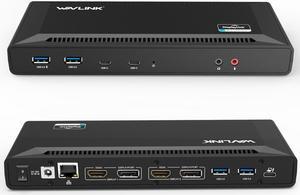
Wavlink Universal USB C Laptop Docking Station Dual Monitor 5K/4K@60Hz with 65W Host Charging for Thunderbolt 4/3, USB-C Windows, Mac, Chrome, Ubuntu 20.04,22.04(2HDMI, 2DP, 6 USB 3.0, 1Gbps Ethernet
- Compatibility: System Support: Windows11, 10, 8.1, 8, 7; macOS Ventura 13, Monterey 12, Big Sur 11, Catalina 10.15, Mojave 10.14; ChromeOS build R51 or later; Android 5 (Lollipop) onwards with USB OTG mode; Ubuntu 20.04, 22.04
- Ports Spec: 1x USB-C (USB3.1 Gen1) for host connection, supporting 65W Power Delivery to charging PC system 2x USB-C (USB3.1 Gen1) supporting 5V/0.9A with data transfer 5Gbps 1xUSB3.0 (Back) supporting BC1.2 fast-charging with data transfer 5Gbps 3x USB3.0 supporting 5V/0.9A with data transfer 5Gbps Separate 3.5 mm audio input and output jacks 1x RJ45 10/100/1000Mbps Ethernet...
- Model #: WL-UG69PD2-US
- Item #: 9SIACU98BW6949
- Return Policy: View Return Policy
$189.99
$229.99
Free Shipping
Works fine with Yoga 720 (13-inch) and Dell XPS 15 laptops. This WAVLINK THUNDERBOLT 3.0 Docking station is simply amazing, and very convenient. It saves time and effort because it connects to my laptop with a single cable: the awesome Thunderbolt 3 connector. As I write this review the Thunderbolt 3 technology is the fastest for data transfer, display and charging. I would like to mention that even if this dock only delivers 60W and my laptop needs 130W for regular charging, it still charges the laptop, albeit at a slower pace than the dedicated charger. What I like about being able to charge the laptop with this dock, is that I don’t have to remember to unplug the charger, wrap the wires and put it inside my backpack. Instead, the laptop when it’s at home, it’s connected to this dock by a single cable, and that it’s all I need to unplug, and reconnect when I return. And the only thing I need to pull out of my backpack it’s the laptop itself, and everything else it’s provide by the dock, from extra USB ports to Ethernet connector, and HDMI port. The laptop charges while I work on it and when I have to run out of the door, all I have to do it’s to unplug that Thunderbolt 3 cable, and grab the laptop, and I’m on my way. I keep the charger in my backpack, just in case I need to charge it, or use it in another place besides the office or home. The design is very stylish, and it has rubber feet to keep it steady on the desk. It’s also Plug & Play, which makes it simple to use as a secondary 4K display and to add extra ports to a laptop that has a few, like my Dell XPS 15 and Yoga 720.
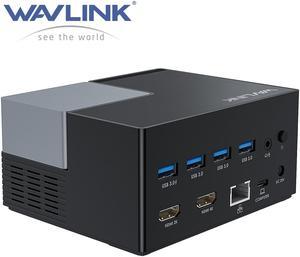
Wavlink USB-C Docking Station USB 3.0 Laptop Universal Dock with Dual HDMI Display Single 4K, 100W PD Charging, 4 USB 3.0, BC 1.2 fast charging, 130W Power Adapter, Gigabit Ethernet, Audio, Mic
- Compatibility: Operating System Support: Windows Mac OS X
- Ports Spec: 3 x USB-A Port: 5Gbps 1 x USB-A 5Gpbs (USB BC1.2 Fast Charge) 2 x HDMI (1x2K, 1x4K) 1 x 4-pole phone Jack 1 x USB-C I/P: Upstream Charging 100W Max 1 x DC Power Jack Port 1 x RJ45 Gigabit Ethernet
- Model #: WS-UG76PD2
- Item #: 9SIACU9DTK3085
- Return Policy: View Return Policy
$149.99
Free Shipping
- Price is better than most for the features - No noise - Very easy setup right out of the box - Incredible amount of USB ports - No speed variance
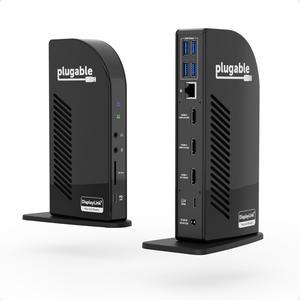
Plugable 13-in-1 USB-C Triple Monitor Docking Station with 100W Charging, Compatible with Windows, Mac, and Chrome with Thunderbolt or USB-C (3x HDMI, 1x USB-C, 4x USB, Ethernet, SD Card Reader)
- Thunderbolt 3: Yes
- Model #: UD-ULTCDL
- Item #: 9SIA5SCKF55050
- Return Policy: View Return Policy
$295.04
Free Shipping
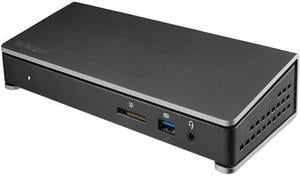
StarTech.com TB3DOCK2DPPD Thunderbolt 3 Dock - 85W Power Delivery - Dual 4K Monitor Docking Station with USB Type C & DisplayPort (TB3DOCK2DPPD)
- Thunderbolt 3: Yes
- Model #: TB3DOCK2DPPD
- Item #: 9SIAH2MKNX1718
- Return Policy: View Return Policy
$173.41
Free Shipping
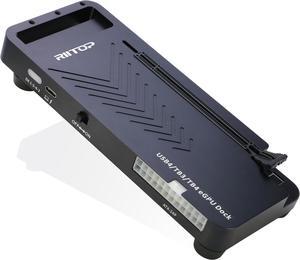
RIITOP External GPU Docking Station, 40Gpbs eGPU Enclosure USB4.0 Compatible with Thunderbolt 4/3 External GPU Dock for PCIe 4.0 X16 Graphics Card
- Color: Black
- Model #: TB4GD-BK
- Item #: 9SIAFMXKHE6615
- Return Policy: View Return Policy
$295.99
Sale Ends in 8 Hours
Free Shipping
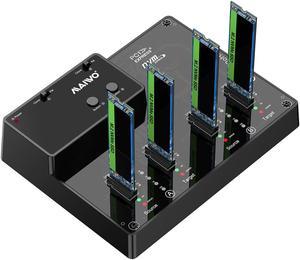
MAIWO 4 Bay M.2 NVME SSD Docking Station External Hard Drive Enclosure, USB 3.1 GEN2 Type-C 10Gbps, Two Group Offline Clone Duplicator and System Copy Function, Support Each Disk Up tp 2TB
- Model #: K3015P2
- Item #: 9SIB2HGJE76427
- Return Policy: View Return Policy
$159.99
Free Shipping
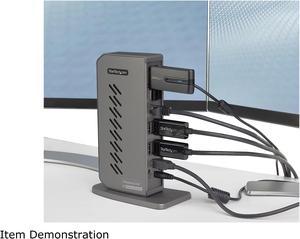
StarTech.com DK30A2DHU USB-C USB-A Dock - Hybrid Universal USB 3.0 Docking Station for USB-C or USB-A Laptop - Dual Monitor 4K 60Hz HDMI/DisplayPort - 6x USB-A, GbE - USB 3.1/3.2 Gen 1 - Windows/Mac
- Compatibility: Windows 2000, XP, Vista, 7, 8, 8.1, 10 macOS 10.6 - 10.12, 10.14 - 10.15, 11.0 Ubuntu 14.04, 16.04, 19.04 Linux Kernel 4.2 - 5.2 Chrome OS v55+
- Ports Spec: 1 - Host Connectors: USB 3.1 USB Type-B (9 pin, Gen 1, 5 Gbps) 6 x USB 3.1 USB Type-A (9 pin, Gen 1, 5 Gbps 1 x RJ-45 2 x HDMI 2 x DisplayPort 1 x 3.5 mm Audio
- Dimension: 7.40" x 5.30" x 2.90"
- Weight: 12.0 oz.
- Model #: DK30A2DHU
- Item #: 9SIADGEEWN7202
- Return Policy: View Return Policy
$140.55
$10.99 Shipping
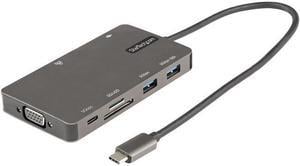
StarTech USB C Multiport Adapter HDMI VGA USB A USB C Ports 100W PD DKT30CHVSDPD
- Model #: DKT30CHVSDPD
- Item #: 9SIADGEGZH3211
- Return Policy: View Return Policy
$49.22
$10.99 Shipping
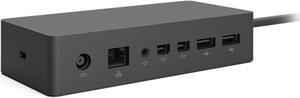
Microsoft Surface Dock PF3-00005
- Compatibility: Surface Go Surface Go 2 Surface Laptop Surface Laptop 2 Surface Laptop 3 Surface Pro (5th Gen) Surface Pro 3 Surface Pro 4 Surface Pro 6 Surface Pro 7 Surface Pro X Surface Book Surface Book 2
- Ports Spec: 2 Mini DisplayPorts 1 Gigabit Ethernet port 4 USB 3.0 ports 1 Audio out port Surface Connect cable External power supply
- Dimension: 5.12" x 2.36" x 1.18"
- Weight: 1.21 lbs.
- Model #: PF3-00005
- Item #: 9SIACB1JZZ8565
- Return Policy: View Return Policy
$99.99
Free Shipping
Good price, seller was flexible with me when I needed to return an item (I ended up not needing everything I ordered).
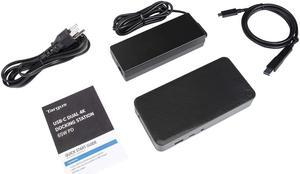
Targus Universal USB-C DV4K Docking Station with 65W Power Delivery
- Weight: 2.25
- Parts: 3 Year
- Model #: DOCK310USZ
- Item #: 9SIADGEK3Y4240
- Return Policy: View Return Policy
$138.11
$10.99 Shipping
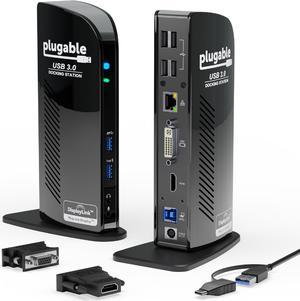
Plugable USB 3.0 Universal Laptop Docking Station Dual Monitor for Windows and Mac, USB 3.0 or USB-C, (Dual Video: HDMI and HDMI/DVI/VGA, Gigabit Ethernet, Audio, 6 USB Ports)
- Model #: UD-3900
- Item #: 9SIA5SCKF57212
- Return Policy: View Return Policy
$185.82
Free Shipping
This product set up is no muss no fuss. I followed the process and had my computers working in no time.
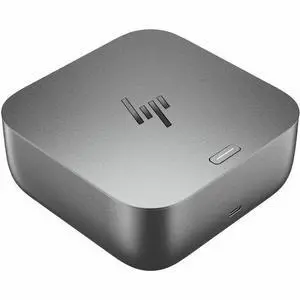
HP Thunderbolt 4 100W G6 Dock - for Desktop PC, Notebook - Charging Capability - 120 W - Thunderbolt 4 - 4 Displays Supported - 5 x USB Ports - 3 x USB Type-A Ports - USB Type-A - 2 x USB Type-C Ports
- Brand: HP
- Part Number: 9X472UT#ABA
- Weight: 1.6000 lb
- Features: HP Thunderbolt 4 100W G6 Dock
- Model #: 9X472UT#ABA
- Item #: 1DN-000B-007R9
- Return Policy: Extended Holiday Return Policy
$384.99
Free Shipping